Use LiveBridge Free When...
- You want to test remote contribution
- You need occasional remote guests
- The standard public workflow fits your production
- You do not need a dedicated environment
 OldieTechWhatsApp
Remote Guest Production
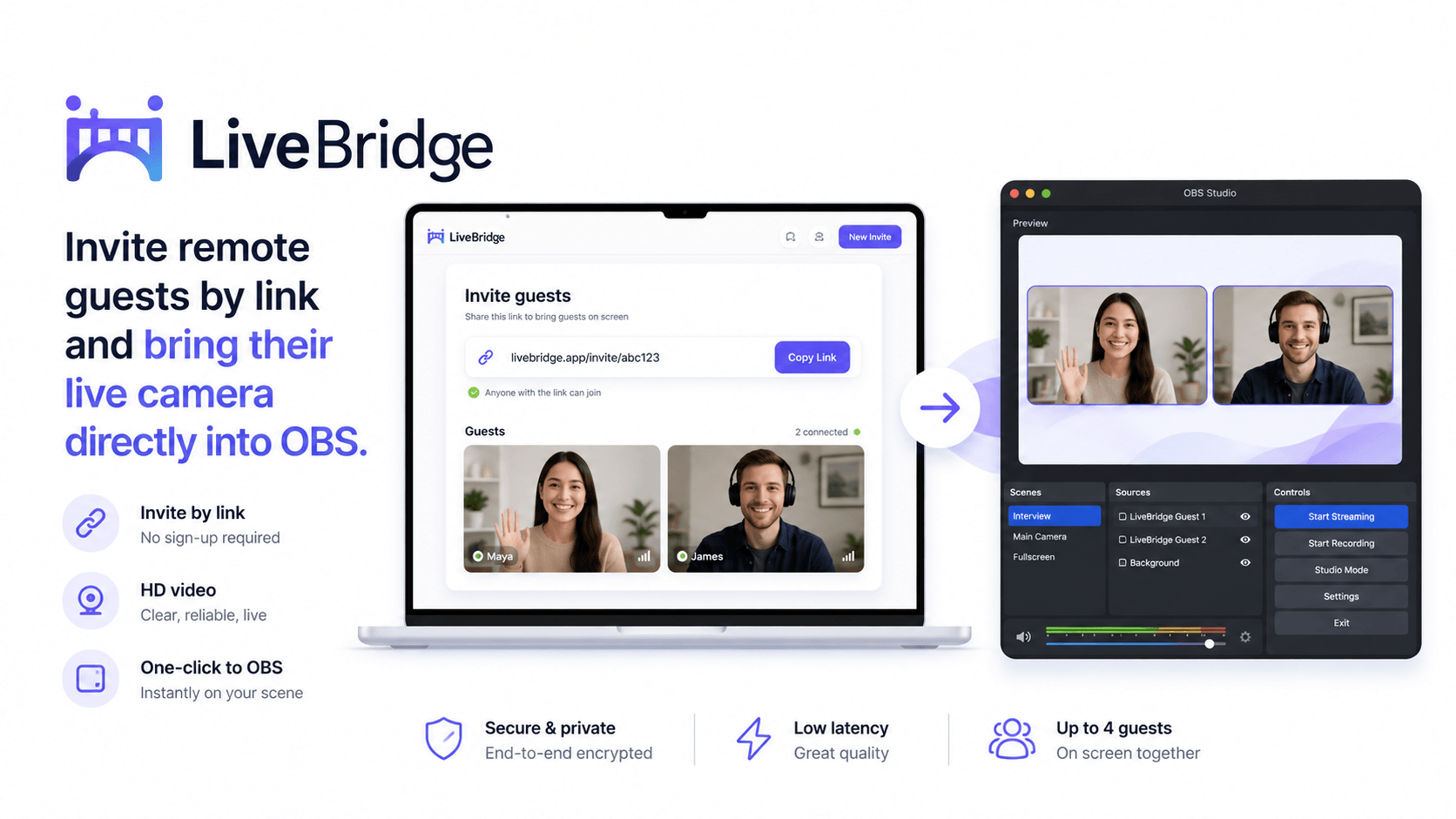
Give guests a simple browser link while you keep control of the production workflow. Use LiveBridge free, or ask OldieTech to build a private setup around your studio, brand, and infrastructure.
The problem
Your guest may be a podcast guest, interview subject, remote presenter, speaker, reporter, instructor, client, or contributor from another location.
They should not need complicated software, streaming keys, encoder settings, or technical instructions just to appear in your production.
Send them a link. Let the production complexity stay on your side.Simple workflow
A clean browser-based path for remote contribution.
Invite the guest without complex setup.
Camera, microphone, or screen can be shared from the browser.
You manage the remote contribution from your side.
Route the guest into your show, stream, recording, or workflow.
Live proof
LiveBridge is OldieTech's free browser-based remote guest workspace. Create a room, send yourself or another person the guest link, and experience the basic production workflow before discussing a private setup.
Open LiveBridge FreeFree tool or private setup?
Private setup
A private remote guest setup can be designed around your production requirements instead of relying only on a shared public tool.
A dedicated remote-production environment for your project.
Use an address that belongs to your organization or production.
Create an experience that feels like part of your operation.
Design guest access around the privacy requirements of the production.
Use guest feeds as part of your wider live-production workflow.
Choose deployment architecture according to expected usage.
Use cases
Bring guests, experts, customers, and co-hosts into your production remotely.
Connect presenters and contributors from different locations.
Bring speakers into the production without complex guest setup.
Receive a remote contributor's camera from another location.
Bring instructors, students, experts, or presenters into live productions.
Connect remote speakers or contributors to an existing live production.
Wider workflow
Remote contribution may be only one part of your production. If your project also needs custom delivery, recording, private streaming, or distribution, OldieTech can build that as part of the wider streaming infrastructure.
Explore Streaming InfrastructureProcess
How many guests? What are you producing? Where do the feeds need to go?
Existing setup, guest requirements, infrastructure, and destination.
Deploy and prepare the remote guest workflow around your needs.
Guest camera, microphone, browsers, and production path tested.
Questions
Usually no for the browser-based guest workflow. The guest can join through a supported browser.
Yes. Use LiveBridge free to test the basic remote guest workflow.
Private deployments can be discussed with your domain and branding requirements.
Yes. That is one of the main reasons to discuss a custom or private deployment.
The browser-based workflow can support screen sharing where the production setup and browser permissions allow it.
Recording requirements should be discussed separately because the right approach depends on your production workflow.
Private setup
Need a quick answer? WhatsApp is the fastest option. Prefer a more detailed review? Send your project details and I will review the practical setup.
Chat on WhatsApp